
How to Choose the Right Keyword for Your Service Page | Suburb Stack Guide
https://www.youtube.com/watch?v=1wW9vCNQRMo Step 3: Keyword Research Before creating services or pages, you need to define the keyword pattern your entire campaign will be built on. For local service businesses, this is usually a service + suburb keyword. Step 3.1: Start with your core service Begin with the exact service you sell, written the way a real […]
How To Use Suburb Stack | Full Guide

Suburb Stack makes it easy to launch hundreds and thousands of local SEO pages and matching Google Ads campaigns all without touching code. Follow this guide to go from sign-up to your first live campaign in just a few steps. 1. Sign Up For Your 14-Day Free Trial Head to suburbstack.com and click Start Free […]
Manifesto
We Want You to Dominate Google Not survive.Not compete.Dominate. Because in 2025, the algorithm doesn’t care who you areonly how fast you move. We built Suburb Stack so everyday business ownerscan play the same game the big brands do.The same multi-million-dollar marketing strategies.The same automation.The same unfair advantage. No agency retainers.No SEO “mystery reports.”Just pure […]
How to Add Target Area Locations to Your Service Page in Suburb Stack
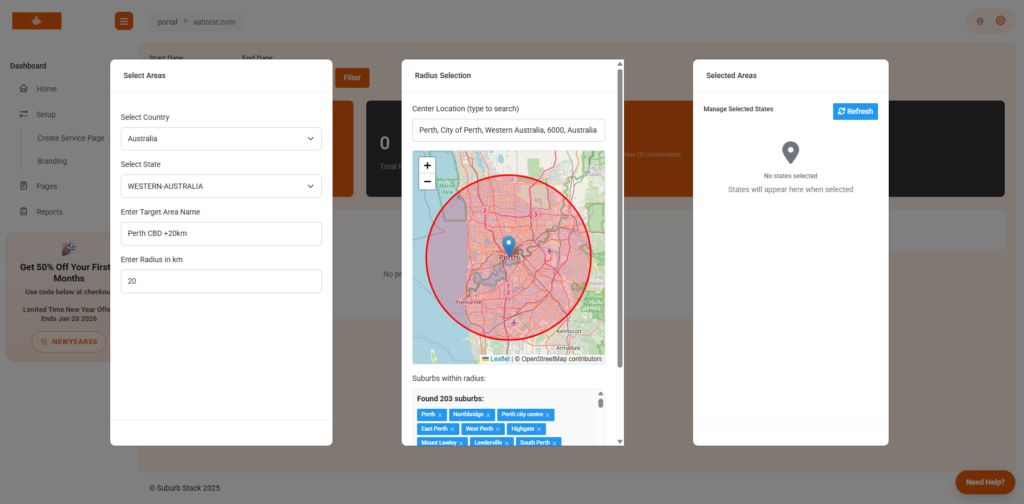
https://youtu.be/q5vYMFy02GU Setting up target area locations is one of the most powerful ways to scale your local SEO campaigns with Suburb Stack. By assigning suburbs, cities, or service regions to your service pages, you can instantly generate hundreds of location-specific pages that rank on Google and connect directly to your Google Ads campaigns. In this […]
How to Submit Your Sitemap to Google Search Console

Submitting your sitemap to Google Search Console (GSC) is an important step in getting your Suburb Stack pages indexed quickly. A sitemap tells Google exactly where to find all of your pages so they can appear in search results faster. If you’re using Suburb Stack, your sitemap is automatically generated and updated as you add […]
How to Create a Google Tag Manager Account

Google Tag Manager (GTM) is a free tool from Google that lets you add and manage tracking codes on your website without having to edit the code directly.If you’re using Suburb Stack, GTM makes it easy to install Google Analytics, conversion tracking, and other marketing tags across all your suburb-specific service pages. Step 1: Sign […]
How to Create a Google Analytics 4 Account

Google Analytics 4 (GA4) is Google’s latest analytics platform, designed to give you detailed insights into how people interact with your website.If you’re using Suburb Stack, GA4 is the perfect tool to measure how your suburb-specific service pages perform – from traffic sources to conversions. Step 1: Sign In to Google Analytics Go to […]
How to Create a Google Ads Account

If you want to run targeted ad campaigns alongside your Suburb Stack location pages, you’ll need a Google Ads account. Setting one up is quick and free – you only start paying once your ads go live. Step 1: Go to the Google Ads Website Visit ads.google.com and click Start Now. Sign in with your […]
How to Create a Google My Business Profile

A Google My Business (GMB) profile – now called Google Business Profile – is essential for any local business. It helps you appear in Google Maps, local search results, and the “3-Pack” listings at the top of Google searches. If you’re using Suburb Stack to generate location-based service pages, pairing them with a fully optimised […]
How to upload a Google Ads Campaign using the Google Ads Editor

If you’ve built your suburb-specific Google Ads campaign in Suburb Stack, the fastest way to upload it to Google Ads is with Google Ads Editor – Google’s free offline tool for bulk editing and campaign management. Step 1: Download Google Ads Editor Go to Google Ads Editor Download Page. Install it on your computer (Windows […]
